SoftNest Journal
No Wi-Fi, No App: When a Non-WiFi Baby Monitor Makes More Sense
If you want to check on your baby from another room without relying on your phone or home internet, a non-WiFi baby monitor may be the simpler fit. Here's what that means, what it can and can't do, and why some parents prefer it.
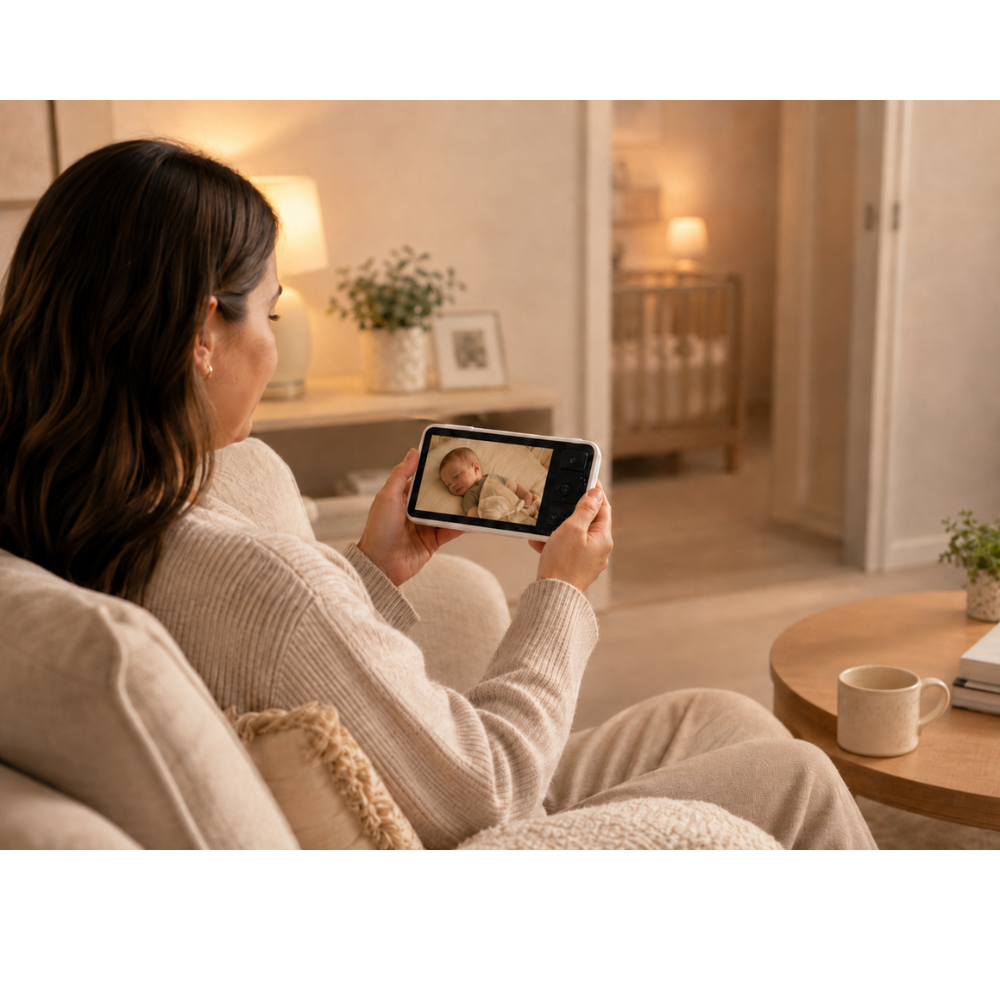
Baby finally falls asleep.
You step out of the nursery to make dinner, shower, answer a few messages, or just sit down for a minute. Then the thought shows up almost immediately: Is baby still sleeping?
You could tiptoe back in and peek. You could also accidentally creak the floorboard that always creaks.
That is the basic job of a baby monitor: let you check on your baby without barging back into the room.
The catch is that baby monitors are no longer all built around that same simple idea. Many now run through Wi-Fi, phone apps, logins, and cloud services. For some families, that is exactly what they want. For others, it sounds like one more thing to charge, connect, troubleshoot, and keep open on a phone that is already doing too much.
If your goal is mostly to see and hear your baby from elsewhere in the house, a non-WiFi baby monitor can be the more practical option.
Products such as the Momcozy BM03 Smart Non-WiFi Baby Monitor use a dedicated parent screen and a direct local connection, so parents can check in without opening an app or using the home internet connection.
So what does “non-WiFi” actually mean, and when does it matter enough to choose it on purpose?
Let’s get into that.
What a non-WiFi baby monitor actually is
A non-WiFi video baby monitor usually has two parts:
1. A camera in baby’s room
and
2. A separate parent unit with its own screen
Instead of sending video through your home Wi-Fi network and into an app, the camera communicates directly with that parent unit.
In the case of the Momcozy BM03, that connection uses FHSS between the camera and the parent screen. Momcozy says it does not require Wi-Fi, a smartphone app, a cloud account, or a subscription for live monitoring.
In daily life, that means you turn on the parent unit and check the screen.
No unlocking your phone. No opening the right app. No hoping the router is behaving.
That will sound delightfully boring to the parents who want it.
The real appeal: your phone does not have to be involved
Phones are already the control panel for modern family life. Messages, work, photos, grocery lists, banking, maps, school emails, streaming, calendars, alarms. It is a lot.
Adding the baby monitor to that same device can be convenient, but it can also be mildly annoying in the way repeated small things are annoying. You are watching a video, taking a call, your battery is low, your phone is charging in the kitchen, or another child is using it for a cartoon in a moment of parental compromise.
Meanwhile, you still want to glance at the nursery.
A monitor with a dedicated parent screen solves a very specific problem: it gives you one object whose only job is checking on your baby.
That is not flashy. It is useful.
Why “no Wi-Fi” matters to some families
A non-WiFi monitor is not automatically better than a Wi-Fi one. It is better at a different job.
Wi-Fi monitors are often the right pick if you want to view the nursery remotely from your phone while you are away from home. But for in-home monitoring, a non-WiFi setup can remove a few common friction points.
You do not need home internet to check the camera
Home internet is not always dramatic when it fails. Sometimes it just gets weird. The router restarts. The signal slows down. Something disconnects at the wrong moment.
A non-WiFi monitor does not depend on your home internet for the camera and parent unit to talk to each other.
The BM03 connects the camera directly to its parent unit through FHSS rather than routing the feed through your Wi-Fi network. If what you mainly want is to check on your baby from the kitchen, your bedroom, the laundry area, or the sofa, that can be a much simpler setup.
You do not need another app, login, or account
Some parents genuinely like app-based baby gear. Others are trying to reduce the number of digital systems involved in ordinary daily tasks.
With a non-WiFi monitor like the BM03, you do not need to:
- download an app
- create a cloud account
- log in to view the feed
- keep your phone beside you all the time
- pay for a cloud subscription just to access live monitoring
Momcozy states that the BM03 works through the included parent unit without an app, Wi-Fi connection, cloud account, or subscription.
That does not make it the right choice for every family. It does make the setup more straightforward for people who want fewer moving parts.
The feed is viewed locally rather than through the cloud
Privacy is one reason some families look specifically for non-WiFi baby monitors.
A direct local monitor does not need to send the live video feed to a cloud service for you to see it on the parent unit. With the BM03, Momcozy says the FHSS connection is local between the camera and screen.
That does not mean any electronic device should be described as perfectly secure, impossible to interfere with, or entirely without risk. It does mean that families who prefer local viewing over internet- or cloud-based viewing may find this style of monitor more comfortable.
Your phone stays free for everything else
This sounds minor until you imagine using the monitor several times a day, every day.
Naps happen when you are cooking, folding laundry, helping an older child, answering messages, or trying to sit still for ten minutes with a cup of tea that may or may not still be warm. After bedtime, you may want to watch a show, read, or clean up in peace.
A separate monitor screen can sit next to you while your phone keeps doing phone things.
What to look for besides “non-WiFi”
Skipping Wi-Fi is only one part of the decision. A monitor still has to do the practical work well: let you see, hear, and check on your baby easily during naps, overnight, and in the in-between moments.
Here are the features that actually affect day-to-day use.
A screen that is easy to read at a glance
A baby monitor is not helpful if you spend half your time squinting at it.
The Momcozy BM03 Black has a 5.5-inch Full HD parent display paired with a 1080p camera. A larger screen can be useful, especially overnight, when you want a quick look to answer a simple question: sleeping, stirring, sitting up, or fully awake and plotting.
The main point is not the spec sheet by itself. It is whether you can look once and understand what is happening.
Pan, tilt, and zoom
Babies have a talent for moving to the exact spot you were not expecting.
As they grow, they may roll, scoot, shift to one side of the crib, or eventually stand. A camera that can be adjusted from the parent unit can save you from walking back into the room every time the original angle stops being useful.
The BM03 Black offers:
360° pan 140° tilt up to 4× digital zoom
Those controls can make the monitor more usable over time, especially if you are trying to keep a good view as your child gets more mobile.
Night viewing
A monitor has to work when the room is dark, because that is when parents often need it most.
Night viewing lets you check the room during naps or overnight without switching on a light and risking a full wake-up over what turned out to be one small wiggle.
Two-way talk
Not every noise means you need to walk in immediately.
A two-way audio function lets you speak through the camera from the parent unit. Momcozy says the BM03 includes two-way talk and noise-reduction technology intended to make communication clearer.
That can be handy for quick reassurance. It does not replace going to your baby when your baby needs you; it just gives you one more option for those brief moments when hearing your voice may be enough.
Alerts that reduce constant staring
One trap with video monitors is that they can quietly turn parents into unpaid security guards for the nursery.
You should not have to watch the screen through the entire nap just in case something changes.
The BM03 Black can provide alerts for:
- crying
- coughing
- movement
- activity outside a preset safe zone
It also includes a Face Focus feature that can bring a detected face closer on the parent screen.
The point of features like these is convenience: helping you notice activity without keeping your eyes locked on the display.
But this part needs a clear boundary.
These are convenience features, not medical monitoring
Momcozy states that its cry and cough detection features are not intended to diagnose, treat, or prevent medical conditions, and that detection can vary depending on camera placement, distance, and background noise.
That matters.
A baby monitor should not be treated as a medical device unless it has specifically been approved for that purpose.
What VOX mode is, in normal-person terms
You may come across VOX mode while comparing non-WiFi monitors.
VOX is basically sound-activated monitoring.
Instead of keeping the parent screen continuously on, the monitor can respond when sound rises above a chosen sensitivity level. Momcozy says the BM03 lets parents adjust VOX sensitivity, and the screen and audio can activate when sound reaches that selected threshold.
That can be especially useful at night if you do not want a bright screen glowing beside the bed for hours.
What a non-WiFi monitor cannot do
This is where it helps to be blunt.
A non-WiFi monitor is not a universal upgrade. It solves one set of problems and leaves another unsolved.
The biggest limitation is remote viewing when you are away from home.
Because the BM03 does not connect to an internet app, you cannot leave the house and then open your phone to check the nursery camera from somewhere else.
So the right question is not, “Which type is better?”
It is, “How will we actually use this?”
A non-WiFi monitor may make more sense if:
You mainly want to monitor your baby while you are elsewhere in the house.
A Wi-Fi monitor may make more sense if:
You specifically want remote phone access when you are away from home.
Neither answer is morally superior. It is just a technology choice.
If you may need more than one camera later
This is easy to overlook when shopping for baby gear in the middle of one season of life.
But families change. Rooms change. Sleep arrangements change.
You might eventually want to monitor:
- the nursery
- a toddler’s room
- a playroom
- two children at once
Momcozy’s support documentation says the BM03 system can connect with up to four cameras. Multi-camera setups can also use viewing modes such as split screen or automatic cycling.
If you expect to reuse the system over several years, that kind of expandability is worth thinking about before you buy.
Where to place a baby monitor safely
The camera needs a clear view of your baby’s sleep space, but cords should never be placed where a baby can reach them.
Health Canada recommends keeping cords from baby monitors and other electronics out of reach of the crib and says monitors should be mounted out of a baby’s reach rather than attached to the crib.
That setup should be checked again as your baby grows. A position that felt safely distant when your baby was very young may not stay that way once rolling, crawling, standing, or reaching enters the picture.
The short version:
A good view matters, and safe cord placement matters just as much.
A baby monitor does not make sleep automatically safe
This is one of the most important limits to keep in view.
Being able to see your baby on a screen does not make an unsafe sleep setup safe.
The American Academy of Pediatrics notes that baby-monitoring technology should not replace direct supervision or sensible safety precautions, and that there is not evidence that an ordinary monitor prevents SIDS.
So whatever type of monitor you use, continue following safe sleep guidance.
A monitor is there to help you check on your baby from another room. It is not a substitute for safe sleep practices.
Why the Momcozy BM03 is a useful example
The BM03 helps show why some parents are rethinking the old trade-off between “simple” and “full-featured.”
A non-WiFi monitor does not necessarily have to be bare-bones. In this case, the direct local connection comes alongside:
- a dedicated 5.5-inch Full HD display
- a 1080p camera
- pan, tilt, and zoom
- night viewing
- two-way audio
- cry and cough alerts
- motion notifications
- safe-zone alerts
- Face Focus
- multi-camera support
all while operating without an app or home Wi-Fi connection for live monitoring.
That combination may suit parents who want modern monitoring features without making a smartphone the center of the whole system.
Who a non-WiFi monitor may suit best
A non-WiFi model may be especially worth considering if you:
Want a dedicated screen You like the idea of picking up one device and seeing your baby immediately.
Do not want another baby app You would rather keep monitoring separate from your phone.
Mostly monitor at home You do not need to check the nursery remotely while you are out.
Prefer not to rely on home Wi-Fi for live viewing The camera and parent unit communicate locally.
May want more than one camera over time A multi-camera system can leave room to expand later.
The best choice depends on the problem you are actually trying to solve
It is very easy to shop for baby gear by feature list and end up answering the wrong question.
The better question is:
What do we need this monitor to do in real life?
If the answer is:
“We want to see the nursery from work or while away from home,”
then remote Wi-Fi viewing may matter a lot.
If the answer is:
“We want to cook, shower, rest, or spend time in other parts of the house while still checking on the baby quickly, and we do not want to depend on Wi-Fi or a phone app,”
then a non-WiFi monitor may be the cleaner fit.
That is where products such as the Momcozy BM03 Smart Non-WiFi Baby Monitor come in.
The point is not to add more technology for the sake of it. The point is to make one repetitive parenting task easier: checking on your baby without walking into the nursery every five minutes.
Final thoughts
A baby monitor cannot replace a parent, direct supervision, or safe sleep practices.
What it can do is make life at home more manageable.
For parents who do not need remote phone viewing, a non-WiFi monitor can be a simple, practical way to keep an eye on the nursery while moving through the rest of the house. And newer models show that choosing non-WiFi does not necessarily mean giving up features like a larger HD screen, night viewing, two-way talk, adjustable camera controls, or activity alerts.
The best monitor is not automatically the one with the longest list of features.
It is the one that fits the way your household actually works.
If what you want is a clear view of your baby, a dedicated screen, and no dependence on your home Wi-Fi or another app, a non-WiFi baby monitor is well worth considering.
→ [Momcozy BM03 Smart Baby Monitor]
Affiliate disclosure: This post may contain affiliate links. If you purchase through one of these links, we may earn a commission at no additional cost to you.
Health and safety note: This guide is general education, not individualized medical or safety advice. Follow the current product instructions, safe sleep guidance, and child-safety recommendations from the relevant health authorities where you live, and ask a qualified healthcare professional if you have questions about your baby’s health or sleep. Rules and recommended setup details can vary by location and product. If your baby is in distress, has breathing trouble, seems unresponsive, or you are worried something is urgently wrong, contact local urgent or emergency care right away.
Keep reading
Two useful next stops.
2026-07-06
What an App-Controlled Sound Machine Is Actually Good For
A practical look at the Momcozy DreamSync, app control, nursery sound, night-light use, and whether it solves a real bedtime problem.
2026-03-22
How to Make a Plain Nursery Feel Calm and Dreamy Without Painting the Room
A practical guide to creating a sky-inspired nursery with decals, prints, and a few calm design choices instead of a full repaint.